Pamper Me Network Updates Custom Campaign Tracking URL Generator
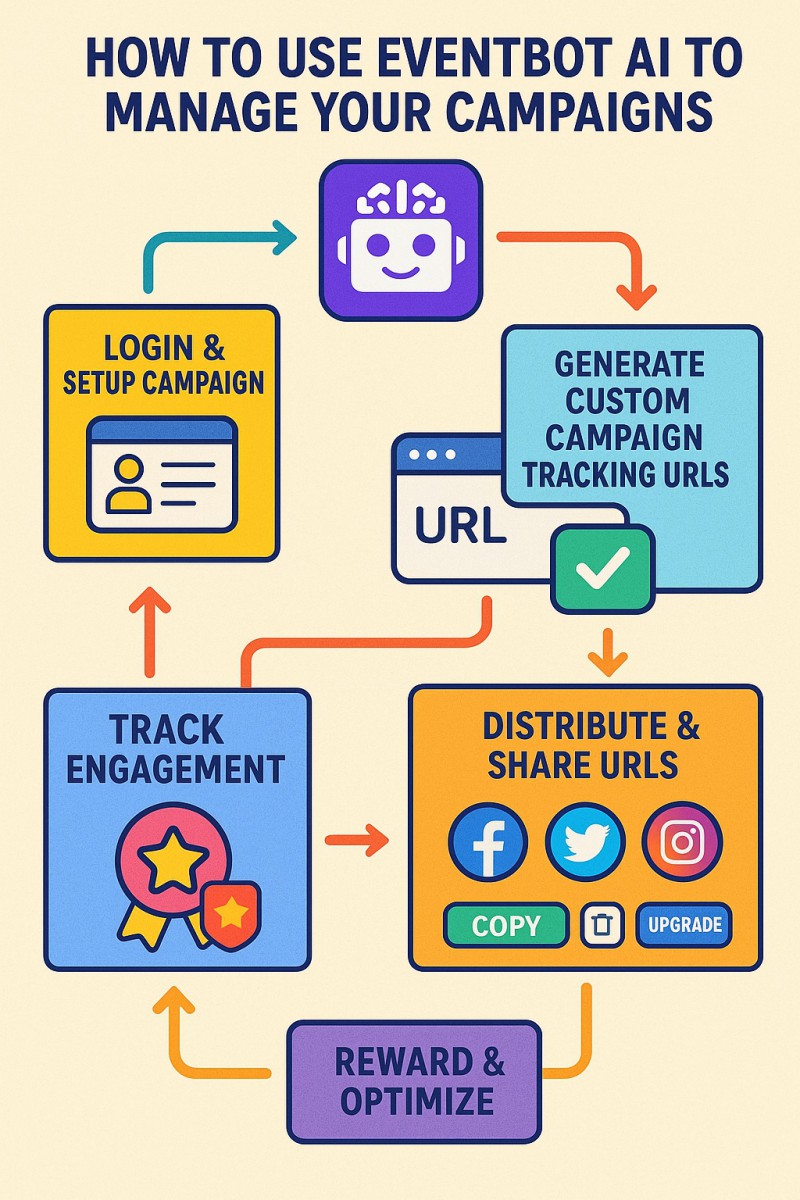
The The Custom Campaign Tracking URL Generator empowers registered users of Pamper Me Network to take full control of their digital campaigns. Users can create, manage, and share campaign-specific URLs linked to their personal referral username. The intuitive self-service dashboard makes it simple to monitor usage, track engagement, and promote campaigns across social media, all from one centralized interface. Designed for efficiency and scalability, this tool ensures every campaign URL is automatically created, validated, and ready to share, while providing actionable insights and optional integrations for rewards and performance tracking. Whether you’re running webinars, contests, fundraising initiatives, podcasts, ebooks, or affiliate campaigns, this system gives users the flexibility, control, and visibility needed to maximize results. Key Features 1. Main Landing Page Folder Creation Users can generate a main folder with an index.html that redirects to their personal landing page. This folder is created once per user. Automatic redirection ensures that visitors land on the correct URL. Prevents duplicate folder creation via form submission checks. 2. Custom Campaign Tracking URLs Users can create numbered subfolders under their personal folder for multiple campaigns. Each URL includes the user’s referrer ID (E-username) automatically appended. Users can create: Up to 5 URLs for Free/Registered users. Up to 50 URLs for Paid/Gold/other premium groups (configurable by Joomla group IDs). 3. Automatic Folder & File Management Subfolders are automatically numbered sequentially. Each subfolder contains an index.html file that performs an instant redirect to the entered campaign URL. System handles folder creation and file permissions (0666) automatically. Users can delete subfolders individually. Deletion removes all files recursively in the folder. 4. Usage Tracking & Progress Bar Displays the number of URLs created vs. the maximum allowed. Shows a visual progress bar indicating usage percentage. Highlights when the maximum number of URLs has been reached. 5. Upgrade Prompt If users reach their free/paid limit, a prominent “Upgrade Now” button appears. Directs users to the membership upgrade page for higher limits. Encourages monetization by prompting upgrades when users hit the limit. 6. URL Management & Actions Each generated URL provides: Preview: Opens the URL in a modal iframe without leaving the dashboard. Copy: Copies the URL to the clipboard with a confirmation alert. Delete: Removes the URL and its folder (confirmation prompt included). Social Sharing Buttons: One-click sharing to: Twitter Facebook WhatsApp Automatically formats the share text with referral info. 7. Validation URL input is validated to ensure it contains pampermenetwork.com. If the referrer parameter already exists, it is replaced automatically with the correct E-username. If no referrer is present, it is appended correctly with ? or &. 8. Access Control Feature is restricted to logged-in users. Guests see a message: “Sorry, this service is available to Corporate and Premium members only.” 9. Responsive & User-Friendly UI Built using simple HTML/CSS with a clean card-style layout. Buttons are color-coded for clarity: Green = Copy Red = Delete Blue = Upgrade/Primary actions Social buttons styled with brand colors. Modal iframe for URL preview ensures non-intrusive previewing. 10. Automation & Security Handles POST → Redirect → GET to prevent form resubmissions. File system operations are safely wrapped: mkdir with recursive creation chmod for file permissions Recursive folder deletion with checks Prevents malformed or invalid URLs from being saved. 11. Analytics & Reporting (Optional Future) Usage counter provides a ready metric for potential reporting: usedUrls = number of URLs created remainingUrls = number of URLs left progressPercent = % of limit reached Could be extended to track clicks or conversions per URL. Workflow User logs in → visits the URL generator page. Creates main folder if not already created. Generates custom campaign URLs as subfolders. Views all generated URLs in the dashboard. Uses copy, preview, delete, and social sharing actions. Receives upgrade prompt when limits are reached. Optional: repeat for multiple campaigns or subfolders. User Groups & Limits Group TypeMax URLsUpgrade Option Free/Registered 5 Upgrade to Gold for 50 URLs Paid/Gold/Premium 50 N/A (max) {rsform 176}
Mapped Content Destinations
This creative references the existing image file. No duplicate image was created. Choose the article, offer, event, contest or creator profile you want the share to promote.
| Source | Mapped content | Category | Destination | Last synchronized | |
|---|---|---|---|---|---|
| ArticleBot #5586 |
Pamper Me Network Updates Custom Campaign Tracking URL Generator The The Custom Campaign Tracking URL Generator empowers registered users of Pamper Me Network to take full control of their digital campaigns. Users can create, manage, and share c |
Latest News / Artificial Intelligence (AI) | https://www.pampermenetwork.com/apps/contestmarket/article.php?id=5586 | 2026-08-20 03:10:10 |